
Meeting mode
Record a meeting, get a timestamped transcript, and have Luna write the minutes.
Record a meeting
1
Start
Click + in the message box and choose Meeting mode. The screen clears to a single orb.
2
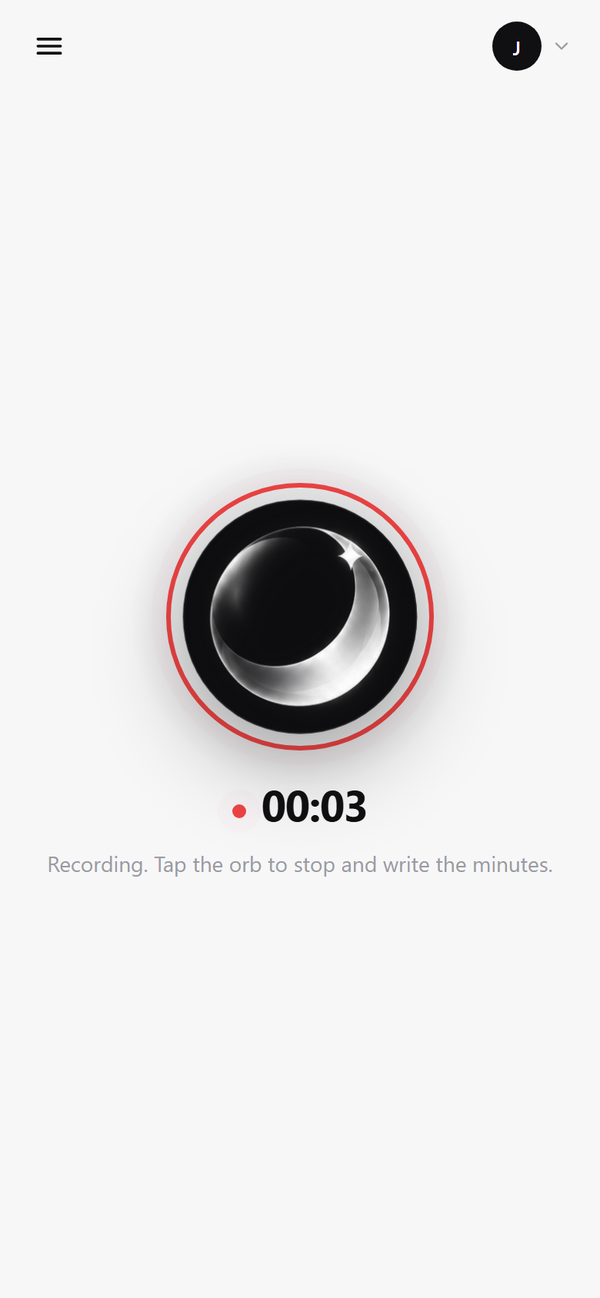
Talk
The orb pulses with the audio and shows the elapsed time. Audio is uploaded in chunks as you go, so a long meeting isn't lost if the tab closes.
3
Stop
Click the orb, or press Stop. Luna transcribes the recording and writes the minutes, usually within seconds of a short meeting ending.
What you get
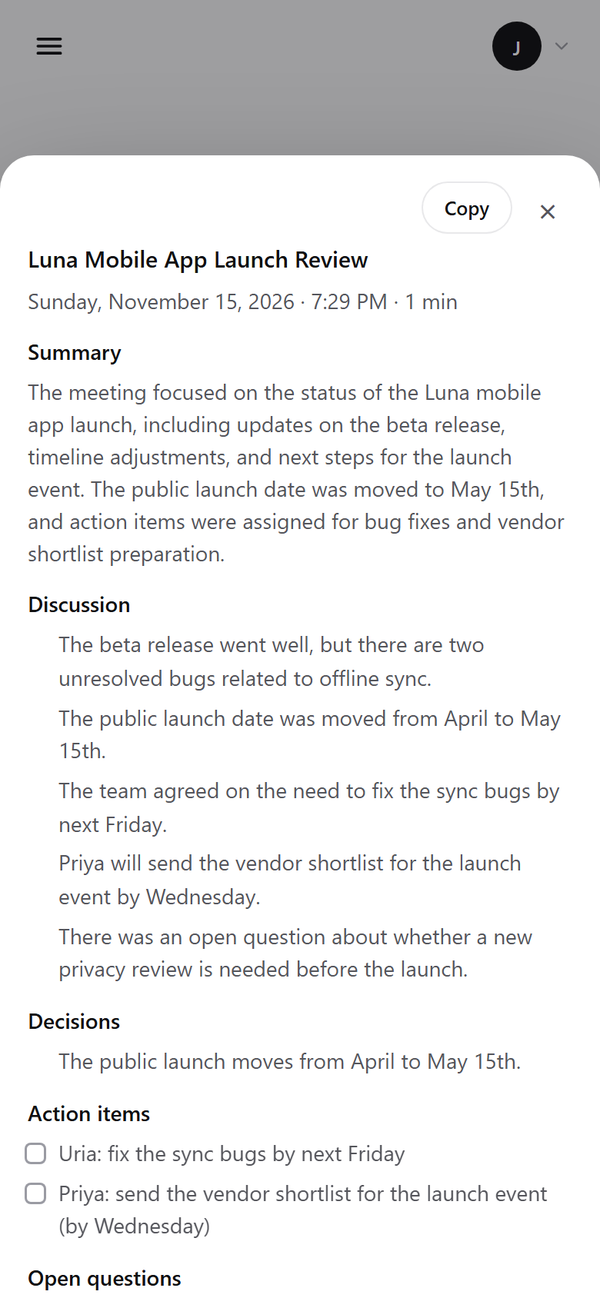
- A title suggested from what was discussed.
- Summary of the meeting in a few sentences.
- Discussion: the main points, topic by topic.
- Decisions that were made.
- Action items as a checklist, with an owner when one was named.
- Open questions left for next time.
- The full transcript with timestamps.
Where it's saved
Each meeting gets its own folder in the workspace and shows up in the Library:
workspace/meetings/<id>/
recording.webm    # the audio
transcript.md     # timestamped transcript
minutes.md        # the minutes
_meeting.json     # status, title, timings
How it works
- Transcription runs locally with faster-whisper (the same model as voice, set by
stt_model). Nothing leaves your server unless you chose a cloud model. - Long transcripts are summarized in parts, then combined, so they fit any model's context window.
- The minutes are written by whichever AI model you've chosen in Settings.
API
| Method | Path | Does |
|---|---|---|
POST | /api/meetings | Start a meeting; returns its id |
PUT | /api/meetings/{id}/audio?seq=N | Upload audio chunk N |
POST | /api/meetings/{id}/finish | Stop and start processing |
GET | /api/meetings/{id} | Status, transcript and minutes |
GET | /api/meetings | List meetings |
Limits
No speaker labels yet
The transcript doesn't say who said what, so action-item owners are only filled in when someone is named in the conversation.
Tell people they're being recorded before you start.