Capabilities
Everything you need from an AI.
No subscriptions. No data harvesting. Just intelligence, locally.
Voice
Wake-word detection and push-to-talk. Luna listens, understands, and speaks back with local TTS.
Memory
Persistent facts, personality state, and conversation summaries stored in local SQLite and ChromaDB.
Meeting mode
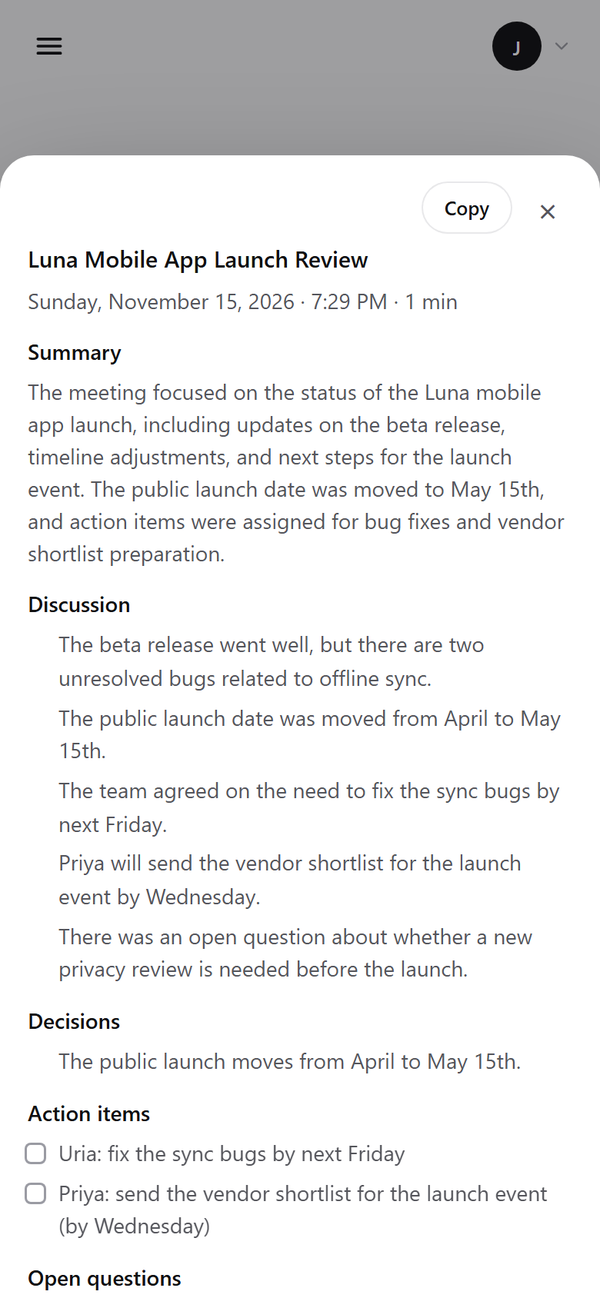
Record a meeting and get a timestamped transcript plus minutes: decisions, action items and open questions.
Automation
Launch apps, control the browser, manage Spotify, execute calendar tasks and desktop actions.
News & prices
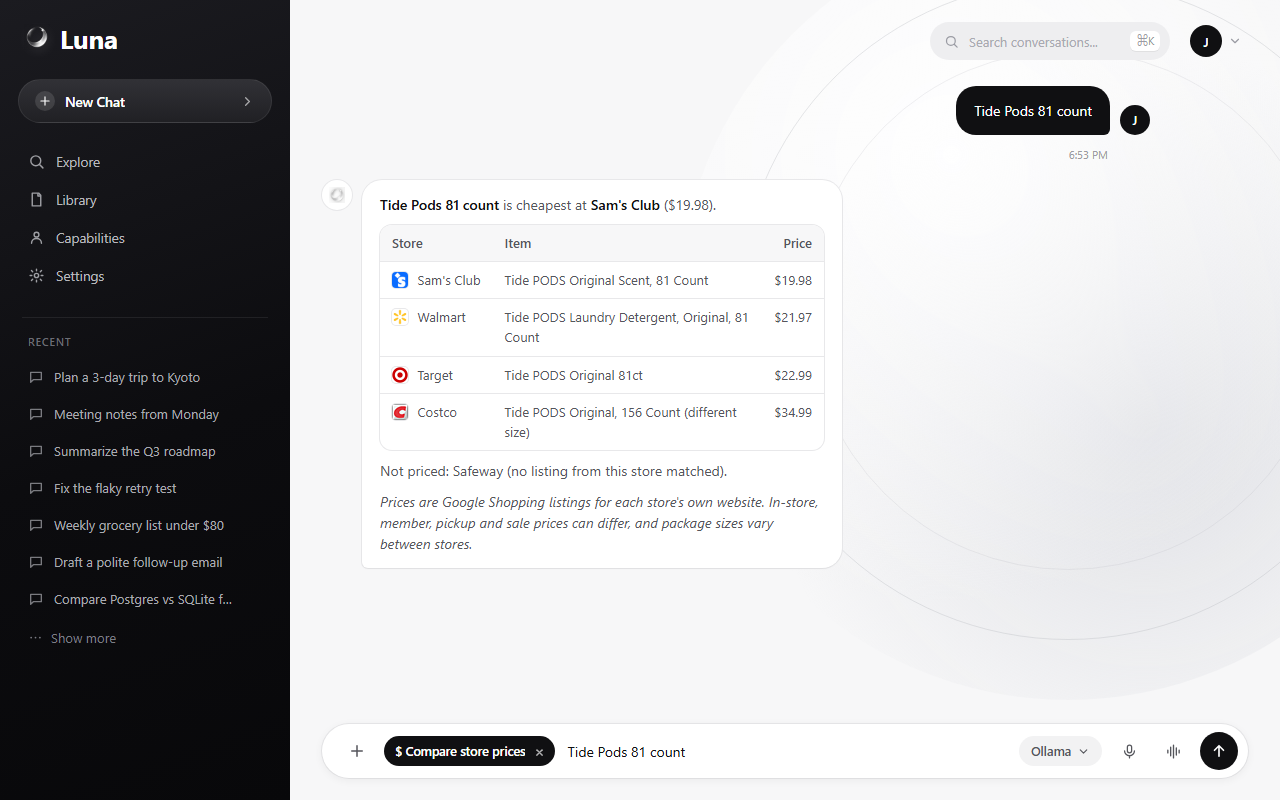
Real headlines with images by category, and one product compared across Walmart, Costco, Target, Sam's Club and Safeway.
Yours, anywhere
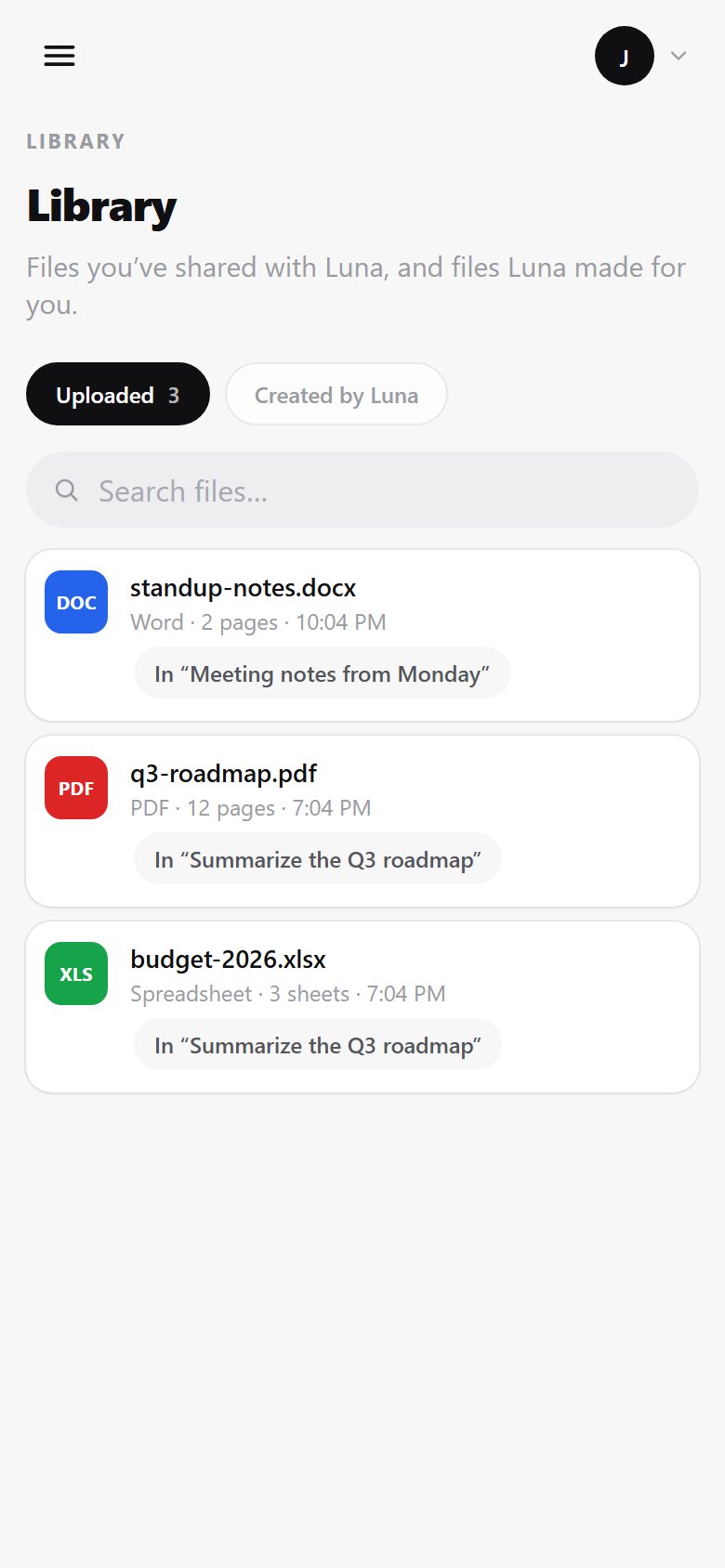
Runs on your machine with Ollama or the cloud model you pick. Reach it from your phone over Tailscale, without opening it to the internet.
See it
Your AI assistant, at work.
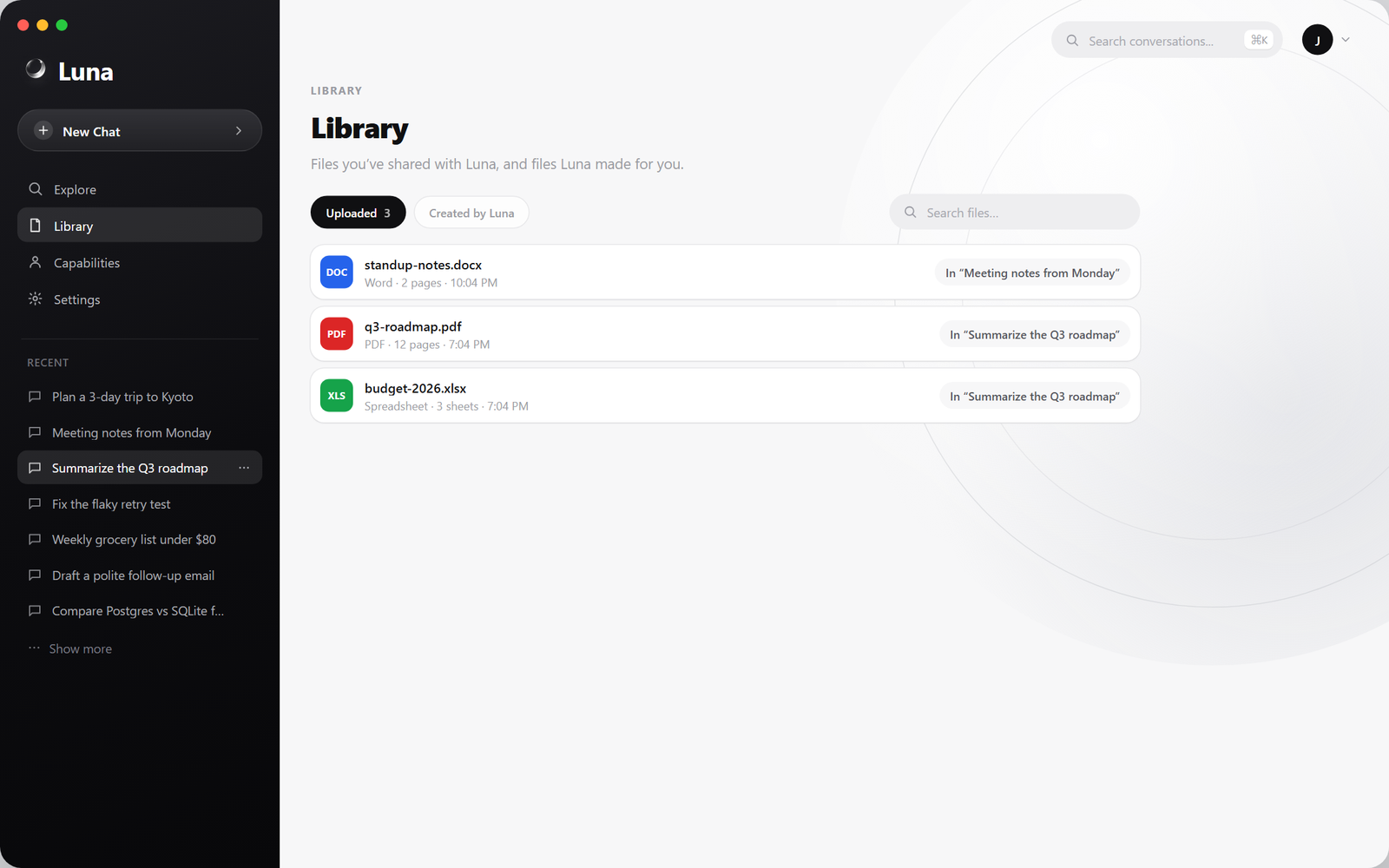
Real screens from Luna: meeting minutes, price comparison, your files, and the phone app.
Any model
Local LLMs or the cloud. Your choice.
Run open models on your own hardware, or plug in your own API key. Switch any time in Settings.
Run locally
- Ollama
- LM Studio
- llama.cpp
- any OpenAI-compatible server
Or use the cloud
- Claude
- Gemini
- OpenAI
- Groq
- Mistral
- Cohere
- NVIDIA NIM
- OpenRouter
Workflow
How Luna works.
Four stages, entirely on your machine.
Speak or type
Chat through the UI or trigger Luna by voice. Accepts text, voice and attached files.
Context assembled
Memory facts, personality, calendar state, and activity history are injected into the prompt.
LLM processes
Your local Ollama model or any OpenAI-compatible API handles inference with a full context window.
Actions & response
Luna streams the reply, executes tools, opens widgets, updates memory, and delivers voice output.
Download
Get Luna for every device.
Free downloads from the latest release. Run the server once, then use it anywhere.
New to self-hosting? Follow the step-by-step setup guide.
FAQ
Questions about Luna.
What is Luna?
Luna is a free, open-source AI assistant and agent engine that you run yourself. It chats, listens, remembers, writes meeting minutes, works with your files and connects to apps like GitHub, Google Workspace and Microsoft 365. Your conversations and files stay on your own hardware.
Is Luna free?
Yes. Luna is MIT-licensed and free to use, modify and self-host. Local models through Ollama cost nothing to run. If you choose a cloud model such as Claude or Gemini, that provider bills you for your own API key.
Can Luna run offline, without the cloud?
Yes. With a local model through Ollama, chat, memory, voice transcription and meeting minutes run entirely on your computer. Features that look things up online, such as web search, news and store prices, need an internet connection.
Which AI models does Luna support?
Local models through Ollama, LM Studio, llama.cpp or any OpenAI-compatible server, and cloud models from Anthropic (Claude), Google (Gemini), OpenAI, Groq, Mistral, Cohere, NVIDIA NIM and OpenRouter. You can switch models at any time in Settings.
Can I use Luna on my phone?
Yes. Open your Luna in any phone browser, or install the Android app, and connect to the computer running it privately over Tailscale. Nothing is exposed to the public internet.
Is my data private?
Luna stores chats, memory and files in a database on your own machine or server, and nothing is sent to the Luna project. If you pick a cloud model, your messages go only to the provider you chose.
How is Luna different from ChatGPT?
You host Luna yourself, choose any model including fully local ones, and keep your data. It is open source, so you can add skills, connect tools over MCP and change how it works.
What do I need to run Luna?
A Windows, macOS or Linux computer. The desktop app needs Python 3.10 or newer for its built-in server, or you can run the server with Docker. For local models, install Ollama; a GPU speeds things up, but small models also run on a CPU.
Built in the open.
Free, open-source, and always will be. Inspect every line, fork it, or contribute.